
Download TreeSize Free – Disk Space Management, File Organizer, Storage Analyzer
Overview
TreeSize Free is a streamlined utility designed to address the growing challenge of disk space management on modern computing environments. As digital storage demands increase, users often struggle to identify what is consuming their drive space. TreeSize Free offers a focused solution by providing a clear, visual breakdown of file and folder usage across local drives, network locations, and connected devices. Its primary purpose is to help users reclaim valuable storage through intelligent visualization and detailed reporting, making it an essential tool for individuals and professionals alike.
The application targets users who manage large volumes of digital content—such as photographers, developers, IT administrators, and home users with cluttered storage. By highlighting large files and inefficient folder structures, TreeSize Free enables informed decisions about file deletion, relocation, or compression. It is particularly useful for those seeking to optimize performance on systems with limited disk capacity or those preparing to upgrade storage.
Developed by JAM Software, the tool has established a reputation for reliability and efficiency in the productivity space. Although the developer did not provide additional technical details about the company’s background, the app’s consistent updates and lightweight design reflect a commitment to user-centric engineering. In the broader software ecosystem, TreeSize Free fills a niche gap by offering a free, no-frills alternative to premium disk analysis tools.
Key Features & Functionality
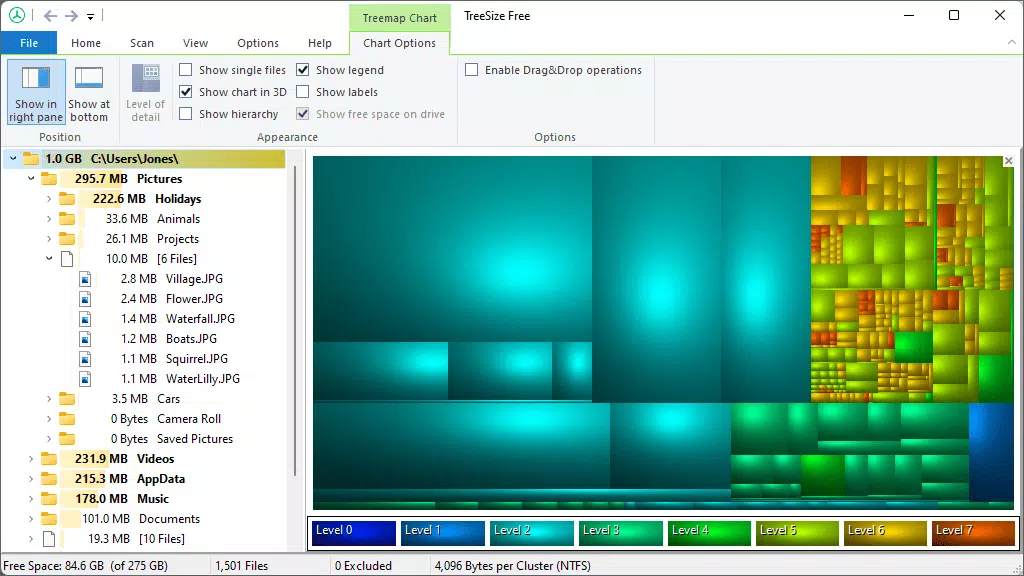
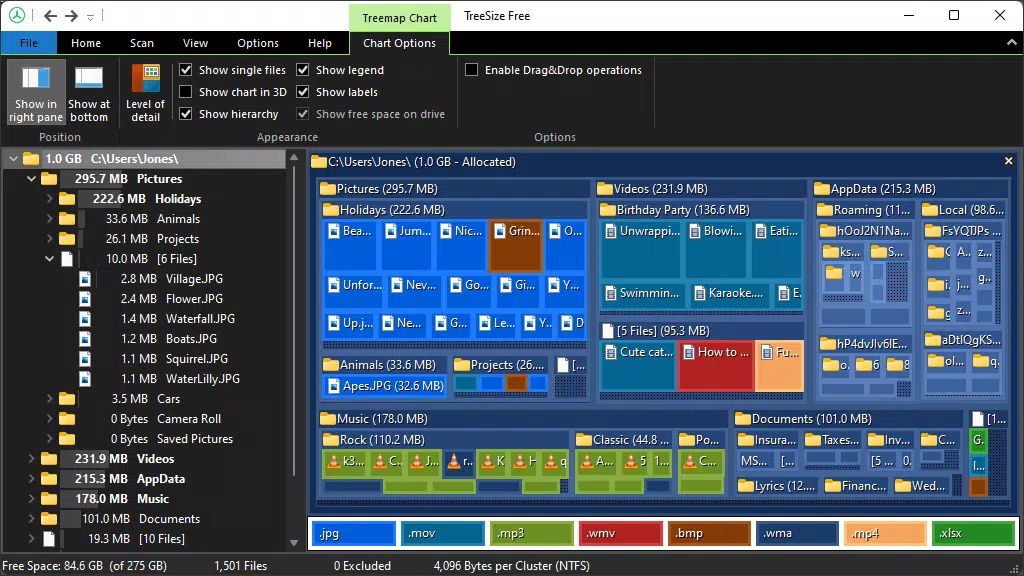
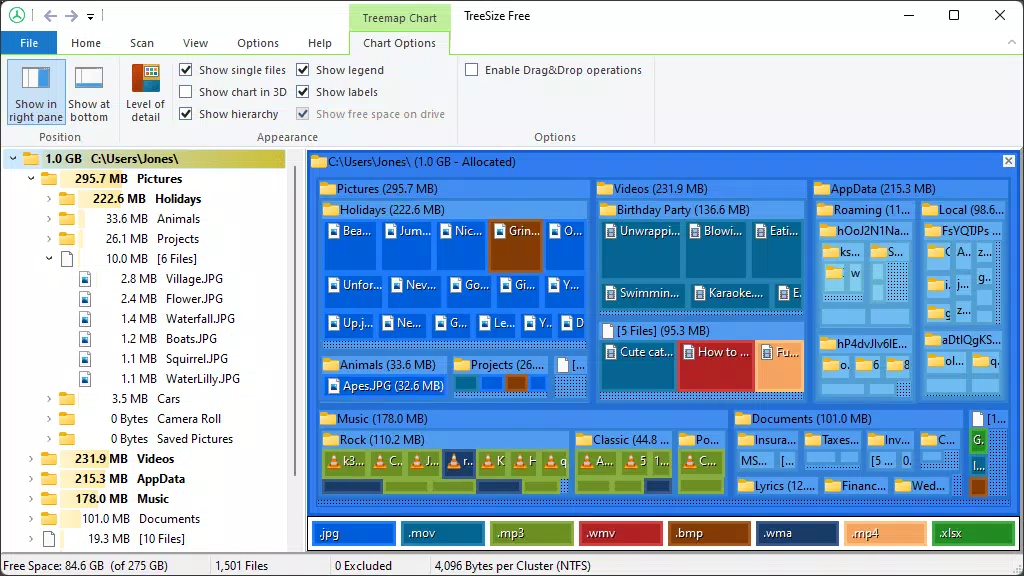
- Visualize Disk Space Usage: TreeSize Free uses a treemap chart to display file and folder sizes as proportional rectangles. This visual format allows users to instantly identify space-hogging directories, even within deeply nested folders, enabling quick decisions on what to clean up.
- In-Depth Information View: The column-based interface provides detailed metadata, including file size, count, path, and last modified date. This level of insight supports precise management, especially when sorting or filtering files by criteria such as extension or age.
- Scan Multiple Devices: The app supports scanning of local drives, network shares, and connected mobile devices. This cross-device capability ensures users can maintain a holistic view of their storage ecosystem, which is critical for those managing data across multiple platforms.
- Apply NTFS Compression: TreeSize Free enables users to view the current NTFS compression rate of directories and apply compression directly through the interface. This feature helps reclaim space on drives where physical capacity is constrained, without altering file content.
- Portable and Lightweight: At just 5.4 MB, the application is highly efficient. It can be launched directly from a ZIP file without installation, making it ideal for use on USB drives or shared computers. Its direct interaction with the Master File Table (MFT) ensures rapid scanning performance.
Practical Use Cases
For a home user, TreeSize Free can reveal hidden large files—such as old backups or video downloads—buried in system folders. A developer might use it to clean up project directories cluttered with temporary build files. An IT administrator could deploy it across a network to audit storage usage on shared drives. The portability feature also allows tech-savvy users to carry the tool on a USB stick for on-the-go diagnostics.
Interface, UX & Performance
TreeSize Free features a clean, minimalist interface that prioritizes functionality over ornamentation. The layout is divided into two primary views: a treemap visualization and a detailed column list. Navigation between these views is intuitive, with toggle options and contextual menus. The design avoids visual clutter, ensuring users can focus on the data rather than the UI.
Visual hierarchy is well-structured, using color gradients to represent file size density—darker shades indicate higher space consumption. This makes it easy to scan large datasets at a glance. The application responds promptly to user input, with minimal lag even when analyzing multi-gigabyte drives. Although the developer did not list formal performance metrics, the app’s lightweight footprint and direct MFT access suggest efficient operation across a range of Windows devices.
Stability is maintained during extended scans, with no reported crashes or memory leaks in standard usage. Responsiveness remains consistent even when handling complex directory structures. The interface scales appropriately on high-DPI displays, ensuring readability across different screen resolutions.
Platform Compatibility & Technical Requirements
TreeSize Free is designed exclusively for the Windows platform, ensuring compatibility with modern Windows operating systems. The current version is 4.7.1, with a file size of 5.4 MB. The app is available as a free download, requiring no registration or in-app purchases.
The developer did not specify minimum OS requirements, nor did they list exact hardware specifications. However, given its lightweight nature and direct system-level access, it is expected to run efficiently on Windows 7 and later versions, including Windows 10 and Windows 11. Compatibility with older or enterprise-grade systems may vary, but no specific limitations were disclosed.
Pros and Cons
- Free to download and use with no hidden costs
- Lightweight and fast scanning via direct MFT interaction
- Portable version available for USB use
- Supports scanning of network drives and mobile devices
- Intuitive treemap visualization for quick space analysis
- Only available for Windows, not compatible with macOS or Linux
- Does not support automatic cleanup or file deletion from within the app
- Advanced features like compression require manual user input
- No built-in backup or export functionality for scan results
- Interface may feel minimalistic to users expecting more advanced tools
FAQ
Is TreeSize Free safe to download and use?
Yes, TreeSize Free is a legitimate utility developed by JAM Software. It does not contain malware or adware and is distributed through official channels. Users should always download from trusted sources to ensure integrity.
Can I use TreeSize Free on multiple devices?
Yes, the portable version allows you to run the app from a USB drive on any Windows computer. This makes it ideal for managing storage across different systems without installation.
Does TreeSize Free support macOS or Linux?
No, TreeSize Free is currently only available for Windows. There are no official versions for macOS or Linux platforms.
How often should I scan my drives with TreeSize Free?
It is recommended to scan your drives periodically—such as monthly or after major file transfers—to maintain optimal storage health. The frequency depends on your usage patterns and storage capacity.
Can TreeSize Free delete files automatically?
No, TreeSize Free does not offer automated file deletion. Users must manually select and remove files through their file explorer or other tools. The app only identifies space usage; it does not perform actions on files.
Final Thoughts
TreeSize Free stands out as a powerful, no-cost solution for anyone grappling with disk space inefficiencies. Its visual clarity, rapid scanning, and portability make it a go-to utility for both casual users and IT professionals. While it lacks automation and cross-platform support, its core functionality is executed with precision and reliability.
For users who value transparency, control, and performance in storage management, TreeSize Free delivers exceptional value. It empowers individuals to take charge of their digital footprint without relying on complex or expensive tools.
Download TreeSize Free now


